There is a particular moment when using an AI image generator that tells you whether the tool is actually useful.
You type a prompt, wait for the result, and the image looks nothing like what you had in your head.
The subject might be right, but the composition is wrong. The lighting feels off. The character doesn’t look consistent. Or you get a beautiful image that simply isn’t practical for the project you were working on.
That is where Midjourney gets interesting.
It isn’t just about typing a few words and hoping for a nice picture. The more useful results usually come from understanding how prompts, image references, editing, personalization and settings work together.
I’ve put together these Midjourney Reviews & Guides to focus on that practical side: what Midjourney can do, where it works well, where beginners often struggle, and how to get more predictable results without turning every prompt into a huge paragraph.
What Is Midjourney?
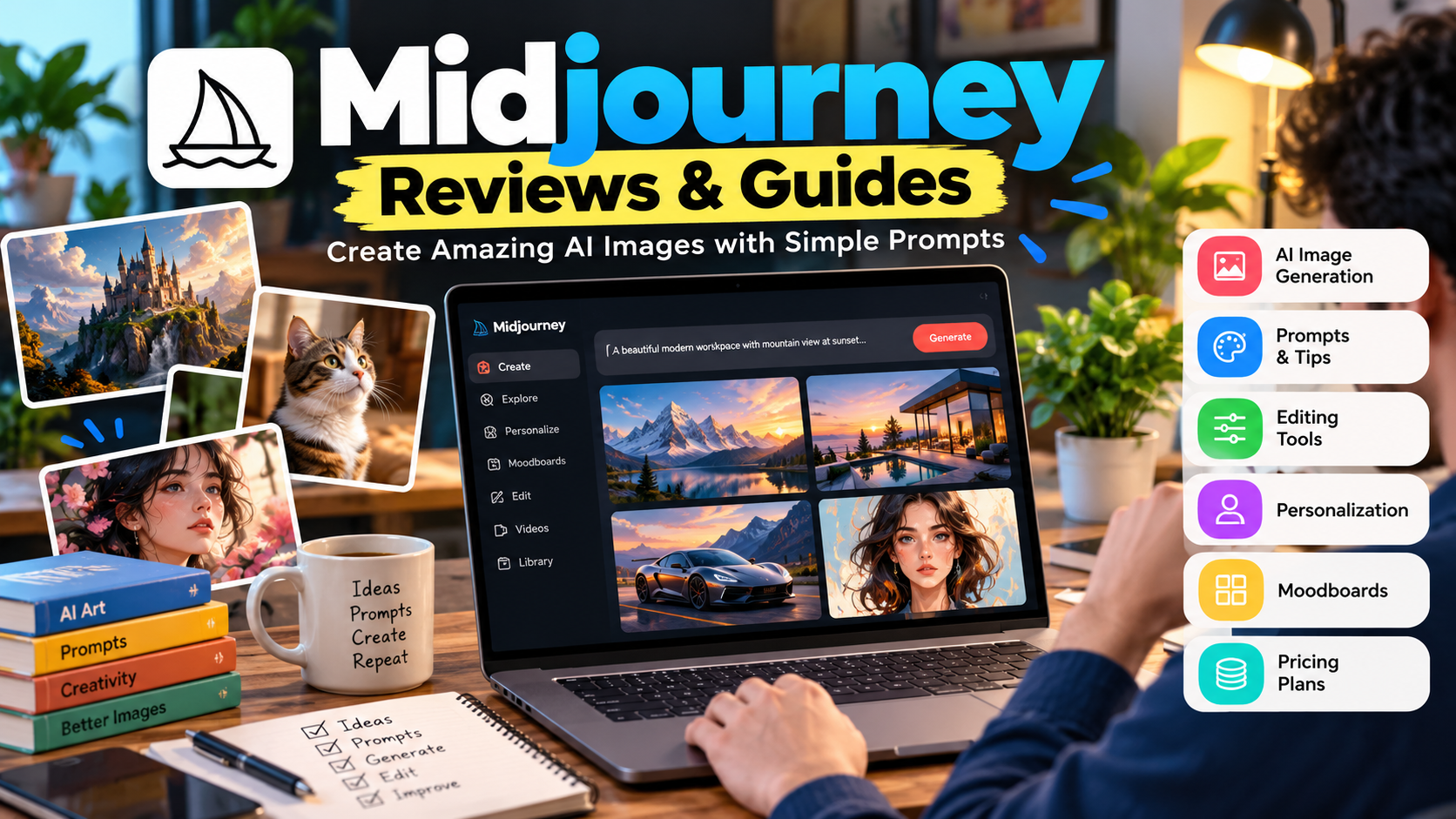
Midjourney is an AI creative platform for generating images and videos from text and visual references.
The current Midjourney website provides a dedicated Create page where users can enter prompts through the Imagine bar, adjust settings, upload images, use Personalization, and manage their creations. Midjourney
Midjourney’s current documentation also lists V8.2 as live. The company describes the release as focusing on aesthetics, image quality and Personalization. Midjourney
That means the experience today is considerably broader than the older image-generation workflow many people remember.
You can use Midjourney for things such as:
- Blog and website graphics
- Social media visuals
- Concept art
- Product concepts
- Advertising ideas
- Character development
- Creative photography concepts
- Illustrations
- Mood boards
- Visual experimentation
- Image editing
- Short-form visual content
The important thing is not to think of it as a simple “text-to-picture” button.
It is better understood as a visual creation workspace.
My Approach to Midjourney
One mistake beginners make is trying to describe absolutely everything in one giant prompt.
I understand why.
You want the image to be perfect, so you keep adding instructions:
cinematic, realistic, ultra detailed, dramatic, professional, beautiful, amazing, highly detailed, perfect lighting…
The prompt gets longer, but the result doesn’t necessarily get better.
Midjourney’s own prompt guidance actually recommends keeping prompts relatively short and focusing on the details that matter, such as the subject, medium, environment, lighting, color, mood and composition. Midjourney
That is a useful lesson.
More words don’t automatically mean more control.
Instead, think about the image in layers.
Layer 1: Subject
What should actually appear?
A young photographer standing beside a mountain lake
Layer 2: Environment
Where is the scene?
Misty mountain valley at sunrise
Layer 3: Visual style
How should it look?
Cinematic outdoor photography
Layer 4: Lighting
What kind of light?
Soft golden morning light
Layer 5: Composition
How should the camera see it?
Wide environmental portrait, subject positioned on the right
That is already enough information to give Midjourney a strong direction.
How to Create Your First Midjourney Image
If you’re completely new, don’t start with advanced parameters.
Start simple.
Step 1: Open Midjourney
Go to the Midjourney website and sign in.
The current Getting Started documentation directs new users to the Create page and the Imagine bar for their first image. Midjourney
Step 2: Think about the image
Before typing anything, decide:
- What is the subject?
- Where is it?
- What style do you want?
- What lighting should it have?
- What kind of composition do you want?
Step 3: Write a simple prompt
For example:
A modern home office overlooking a city skyline, warm morning sunlight, realistic interior photography, clean minimal design
Step 4: Generate
Submit the prompt and examine the results.
Don’t immediately start changing ten settings.
Look at what Midjourney understood correctly and what it misunderstood.
Step 5: Improve one thing
If the room is right but the composition is wrong, change the composition.
If the style is wrong, change the style.
If the subject is wrong, simplify the subject description.
This makes it easier to understand what each change is doing.
Midjourney Prompts: What Actually Matters?
A good prompt doesn’t need to sound complicated.
For example:
A luxury electric car parked outside a modern glass house at sunset, realistic automotive photography, warm natural light, wide-angle composition
There are five useful pieces here:
- Subject: electric car
- Location: modern glass house
- Time: sunset
- Style: realistic automotive photography
- Composition: wide angle
You can then experiment with individual elements.
Midjourney’s current parameter documentation includes options for aspect ratio, chaos, personalization, quality, repeat, seed and other controls. Parameters are placed at the end of the prompt. Midjourney
Using Aspect Ratio Correctly
One of the simplest useful parameters is the aspect ratio.
For example:
--ar 16:9
is useful when you’re creating a wide image for a website banner, YouTube thumbnail or blog header.
For a portrait-oriented image, you might use a taller ratio instead.
This matters because generating a square image and cropping it later can sometimes remove an important part of the composition.
If you already know where the image will be used, choose the shape early.
Using Your Own Images With Midjourney
This is one of the features that makes Midjourney more useful for practical projects.
You don’t always have to start from text.
Midjourney’s current Image Prompts system allows you to add one or multiple images alongside text. The image can influence the content, composition and colors of the resulting creation. Midjourney
For example, imagine you have a photo of a product.
You can use that image as a reference and then describe the scene you want around it.
The important thing to understand is that an Image Prompt is inspiration and guidance, not necessarily an instruction to reproduce the original image exactly. Midjourney’s documentation distinguishes this from using its Editor when you need more direct image changes. Midjourney
That difference can save you a lot of frustration.
Midjourney Editor: When You Need More Control
Sometimes generating another four-image grid isn’t what you need.
Maybe the image is almost right.
Perhaps the background works perfectly, but one part needs changing.
That’s where the Editor becomes useful.
Midjourney’s current Editor supports tools including:
- Remix
- Inpainting
- Vary Region
- Pan
- Zoom Out
It can also be used with personal images through the website’s Edit area. Midjourney
This changes the workflow from:
Generate → reject → generate again
to:
Generate → identify the problem → edit the problem
That’s a much more practical way to work.
Midjourney Personalization
Another feature worth learning is Personalization.
The idea is simple: instead of always relying on Midjourney’s general aesthetic, you can teach the system more about the type of visual style you prefer.
Midjourney’s current Personalization system allows users to select images they like and build profiles around those preferences. Those profiles can then influence future generations. Midjourney
This can be particularly useful if you’re producing a series of visuals.
For example, suppose you consistently want:
- Clean editorial photography
- Soft lighting
- Modern interiors
- Muted colors
- Minimal compositions
A Personalization profile can help push future generations toward that aesthetic.
It doesn’t mean every image will suddenly look identical.
It means you’re giving Midjourney additional information about the visual direction you prefer.
What Are Midjourney Moodboards?
Moodboards take the same basic idea and make it more project-specific.
Midjourney describes Moodboards as curated collections of images that can be used to develop a particular visual style. You can create different Moodboards for different aesthetics and apply them to prompts. Midjourney
This is useful when you’re working on a project that needs a consistent look.
For example:
Brand Moodboard
- Clean studio photography
- White backgrounds
- Soft shadows
- Minimal product compositions
Fashion Moodboard
- Editorial photography
- Urban locations
- Dramatic lighting
- Contemporary styling
Travel Moodboard
- Natural landscapes
- Warm sunlight
- Documentary photography
- Wide environmental compositions
Instead of explaining the same visual style from scratch every time, you can build a visual reference system.
Midjourney for Blog Featured Images
This is one area where Midjourney can be particularly practical for bloggers.
Instead of using the same generic stock-photo style for every article, you can create a visual that actually represents the topic.
For example, for an article about AI productivity:
A professional working at a laptop in a modern workspace, subtle AI interface elements on the screen, clean editorial technology photography, natural window light, realistic composition, space for headline text
Then generate it in a wide aspect ratio.
The important part is to leave negative space if text will be added later.
Don’t ask Midjourney to fill every part of the image with objects.
A clean composition usually gives you more flexibility when designing the final featured image.
Midjourney Pricing and Plans
Midjourney currently lists four subscription levels:
| Plan | Monthly price |
|---|---|
| Basic | $10 |
| Standard | $30 |
| Pro | $60 |
| Mega | $120 |
The current annual prices listed by Midjourney are $96, $288, $576 and $1,152 respectively. Midjourney also states that annual billing provides a 20% discount compared with monthly pricing. Midjourney
The plans differ in areas such as GPU time, Relax Mode and privacy features.
For example, Midjourney currently says that unlimited image generation in Relax Mode is available on Standard, Pro and Mega, while Stealth Mode is available on Pro and Mega. Midjourney
Which plan should you choose?
Don’t choose based only on the number of features.
Think about how frequently you actually generate images.
If you’re experimenting occasionally, a lower plan may be sufficient.
If you’re generating large numbers of images for regular creative work, the higher tiers may make more sense depending on your workload.
Check the current plan details before subscribing because these limits and features can change.
Common Midjourney Mistakes
1. Making prompts unnecessarily long
Long doesn’t automatically mean better.
Start with the important visual information.
2. Changing everything at once
If your result isn’t right, change one major element at a time.
Otherwise, you won’t know what actually improved the result.
3. Ignoring composition
People often describe the subject but forget to describe where it should appear.
Try specifying:
- Close-up
- Wide shot
- Portrait
- Overhead
- Side view
- Centered composition
- Subject on the left
- Subject on the right
4. Forgetting the final use
A blog image, Instagram post, YouTube thumbnail and website banner don’t have the same requirements.
Choose the aspect ratio with the final destination in mind.
5. Expecting references to be copied perfectly
Image prompts are intended to guide the generation. If you need direct changes to an image, use the appropriate editing workflow instead. Midjourney
6. Generating endlessly without learning
This is probably the biggest productivity trap.
If you keep pressing Generate without understanding why the results are changing, you’re spending time without improving your prompting skills.
A Simple Midjourney Workflow I Recommend
For most projects, use this sequence:
Step 1 — Define the purpose
Ask:
Where will this image be used?
Step 2 — Define the subject
What must appear?
Step 3 — Define the environment
Where does the scene take place?
Step 4 — Define the visual direction
Photography? Illustration? 3D? Editorial? Product photography?
Step 5 — Define composition
Close-up? Wide? Subject left or right?
Step 6 — Choose the aspect ratio
Match it to the final platform.
Step 7 — Generate
Start with a relatively simple prompt.
Step 8 — Review
Identify the biggest problem.
Step 9 — Edit or refine
Use a new prompt, reference, or Editor depending on the problem.
Step 10 — Save the useful prompt
If you eventually get a result you like, keep the prompt and settings.
That last step is easy to overlook.
A good prompt can become the starting point for an entire visual series.
Is Midjourney Worth Using?
Whether Midjourney is worth paying for depends heavily on how often you need AI-generated visual content.
Someone creating an occasional personal image has a different requirement from a blogger producing ten featured images every week.
Midjourney is particularly relevant if you need:
- High-quality visual concepts
- Creative image generation
- Consistent visual styles
- Image references
- Editing workflows
- Personalized aesthetics
- Visual experimentation
But it isn’t necessarily the right tool for every image task.
If your main requirement is simple photo editing, traditional software may still be more appropriate.
If you need extremely precise changes to a real photograph, you should also understand the difference between generative creation and editing.
The best approach is to test it against the actual work you need to complete.
Final Thoughts
The biggest mistake with Midjourney is treating it like a slot machine: type a prompt, generate four images and hope one is perfect.
The better approach is to treat it as a creative workflow.
Start with a clear idea.
Give Midjourney the important visual information.
Use references when words aren’t enough.
Use Personalization and Moodboards when you need a more consistent aesthetic.
And when an image is almost right, consider editing it rather than throwing it away and starting again.
That’s where Midjourney Reviews & Guides become more useful than a simple feature list. The real value isn’t just knowing that a tool can generate images. It’s understanding how to use the available controls to solve an actual creative problem.
If you’re just getting started, don’t try to learn every parameter on day one.
Create ten images around one subject.
Change one thing at a time.
Keep the prompts that work.
You’ll learn much faster by doing that than by memorizing a long list of prompt formulas.
Frequently Asked Questions
What is Midjourney used for?
Midjourney is used to create AI-generated images and videos from text prompts and visual references. It can be used for creative concepts, illustrations, marketing visuals, social media content, blog graphics and many other visual projects. Midjourney
Is Midjourney free?
Midjourney’s current plans are subscription-based. Its official documentation currently lists Basic, Standard, Pro and Mega plans. Midjourney
Can I use my own images in Midjourney?
Yes. Midjourney supports Image Prompts, allowing users to add their own images to help guide a new generation. Midjourney
What are Midjourney Moodboards?
Moodboards are collections of selected images that help establish a particular visual style for future Midjourney creations. Midjourney
Can Midjourney edit existing images?
Yes. Midjourney’s web Editor provides tools such as Remix, inpainting, Vary Region, Pan and Zoom Out for modifying images. Midjourney
What makes a good Midjourney prompt?
A useful prompt clearly describes the important elements of the desired image, such as the subject, environment, medium, lighting, color, mood and composition. Midjourney’s own prompt guide recommends focusing on meaningful details rather than simply making prompts longer. Midjourney
Is Midjourney good for beginners?
It can be, especially when beginners start with simple prompts and gradually learn references, composition, aspect ratios, editing and personalization rather than trying to learn every feature at once.