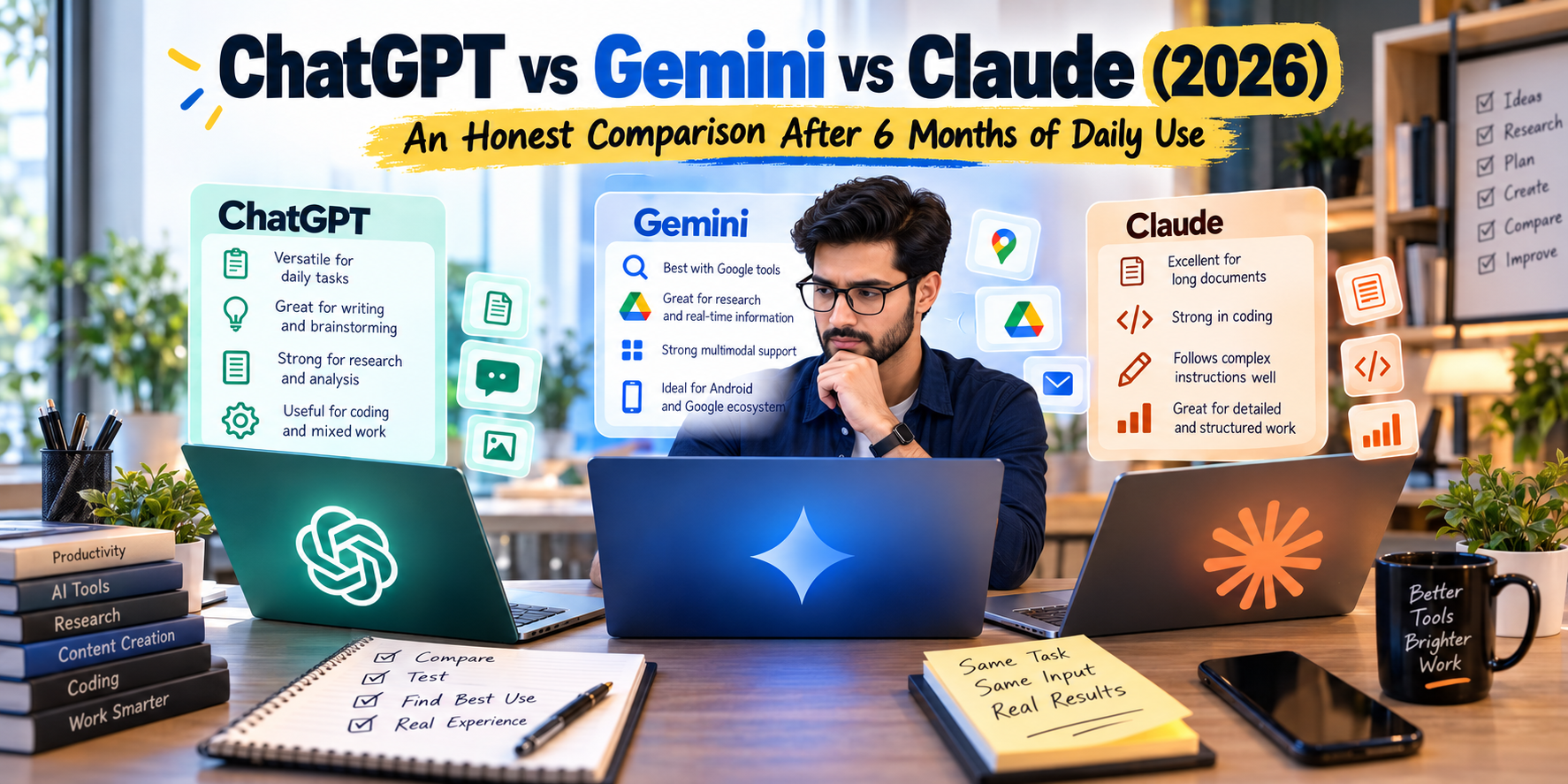
ChatGPT vs Gemini vs Claude 2026 is not really a question about which chatbot has the fanciest answer.
The more useful question is what happens when you use these tools for ordinary work.
Writing an article. Checking a document. Explaining code. Researching a topic. Summarizing a long file. Brainstorming a business idea. Rewriting an awkward email.
That is where the differences become noticeable.
I have also found that the easiest way to get confused about AI tools is to compare them using random questions. Give three chatbots the prompt, “Write a poem about coffee,” and you haven’t learned much.
Give them the same real task and the comparison becomes much more useful.
That is the approach behind this ChatGPT vs Gemini vs Claude 2026 comparison: focus less on flashy demonstrations and more on the kind of work people actually do.
Note: AI models and features change quickly. The comparison below reflects the products and capabilities available around September 2026, but individual features, limits, pricing, and availability can vary by plan and region.
ChatGPT vs Gemini vs Claude 2026: The Quick Answer
If you only have a minute, here is the practical picture.
ChatGPT is a broad all-purpose workspace. It can handle writing, research, files, coding, image work, data analysis, web research, and multi-step projects. OpenAI’s current ChatGPT capabilities include web search, deep research, file uploads, image generation and analysis, data analysis, voice, projects, and other tools depending on the account and plan.
Gemini becomes particularly interesting when your work already revolves around Google. Google has continued expanding Gemini’s connections with apps and services, while its newer Live models add real-time visual context, voice interaction, reasoning, and background task capabilities.
Claude is worth looking at when your work involves detailed writing, large amounts of information, coding, or complex instructions. Anthropic has positioned Claude as a workspace for thinking and knowledge work rather than simply another general chatbot.
There isn’t one permanent winner.
The better choice depends on what you need to accomplish.
ChatGPT: The Flexible All-Rounder
ChatGPT is often the easiest place to start when a task doesn’t fit neatly into one category.
You might begin by asking a question, upload a PDF, analyze a spreadsheet, rewrite a paragraph, generate an image, and then turn everything into a structured document.
That ability to move between different types of work is one of its biggest practical advantages.
OpenAI has also continued moving ChatGPT toward longer, more involved workflows. GPT-5.6 was introduced for general availability in 2026 with an emphasis on knowledge work, coding, research, data analysis, computer use, and multi-step tasks. OpenAI has also introduced ChatGPT Work for projects that can involve apps, files, research, documents, spreadsheets, and other work.
Where ChatGPT fits well
It can be useful for:
- Blog writing
- Editing
- Brainstorming
- Research
- Coding assistance
- File analysis
- Spreadsheet work
- Image generation
- Data analysis
- Summarization
- General productivity
One thing I would avoid is giving it a huge instruction block and expecting a perfect result immediately.
A better workflow is:
- Explain the goal.
- Provide the relevant information.
- Ask the AI to identify gaps.
- Build the first version.
- Review the result.
- Correct the weak sections.
- Produce the final version.
That small change can make AI output much more useful.
Internal link opportunity: If TechToolSphere already has an article about ChatGPT, link the phrase ChatGPT AI tools or ChatGPT guide to that article here.
Gemini: A Different Advantage
Gemini becomes more interesting when Google is already part of your daily workflow.
If you spend your day in Google services, the value isn’t simply the chatbot itself. It is the connection between the assistant and the broader Google ecosystem.
Google has been expanding Gemini’s connected-app capabilities, with new integrations announced in September 2026 across productivity, creativity, and other categories.
Google has also introduced Gemini 3.8 Live and Gemini 3.8 Live Extended Thinking. Google says these models are designed for more natural voice interaction, real-time visual context, complex reasoning, and background task execution.
That makes Gemini particularly interesting for people who want an AI assistant that is increasingly connected to their existing digital environment.
Where Gemini can be useful
Think about:
- Google-based workflows
- Research
- Planning
- Writing
- Multimodal tasks
- Voice interaction
- Visual understanding
- Workspace-related work
- Connected applications
The important distinction is that integration can matter more than raw chatbot quality.
If an AI can work naturally with the tools you already use, you may save more time than you would by switching to a model that happens to produce slightly better answers to isolated questions.
Claude: Where Detailed Work Gets Interesting
Claude has built a strong following among writers, developers, researchers, and people working with substantial amounts of text.
That makes sense.
When you give an AI a complicated task, you don’t only care about the final paragraph.
You care about whether it understood the instructions.
Did it keep the important details?
Did it follow the format?
Did it unnecessarily rewrite things you told it to leave alone?
Did it understand the relationship between different parts of a long document?
Those details become increasingly important as the task gets larger.
Anthropic describes Claude as a space for thinking and deliberately positions the product around work rather than advertising or distracting commercial content.
Claude can be particularly useful for
- Long-form writing
- Editing
- Document analysis
- Technical writing
- Coding
- Detailed instructions
- Project work
- Structured reasoning
For a simple question, these differences may barely matter.
Give the model a large project, however, and the workflow becomes much more important.
Internal link opportunity: If your site has an existing article about AI writing tools or AI productivity, link AI writing tools or AI productivity here.
ChatGPT vs Gemini vs Claude 2026: Writing Comparison
Writing is probably the easiest area to compare because everyone can see the output immediately.
But there is a trap.
Don’t ask:
“Which AI writes best?”
Instead, give all three the same brief.
For example:
Write a 1,500-word article for beginners about choosing a password manager. Use short paragraphs, explain technical terms simply, include practical examples, and avoid exaggerated claims.
Then compare the results.
Look at:
- Opening paragraph
- Sentence length
- Repetition
- Tone
- Structure
- Accuracy
- Editing required
- Ability to follow instructions
The last point is easy to overlook.
A beautifully written article that ignores half your instructions isn’t necessarily useful.
My preferred writing workflow
I would use AI in stages rather than asking for a perfect article in one shot.
Step 1 — Ideas
Ask for several possible angles.
Step 2 — Outline
Choose one angle and create the structure.
Step 3 — Draft
Generate the first version.
Step 4 — Human editing
Remove generic sentences and add specific examples.
Step 5 — Fact checking
Verify claims that could have changed.
Step 6 — Final SEO pass
Improve headings, title, description, internal links, image metadata, and readability.
This produces a much more useful result than simply pressing “generate” and publishing.
ChatGPT vs Gemini vs Claude 2026: Coding
Coding is another area where simple demonstrations can be misleading.
Almost any modern AI assistant can produce a basic Python calculator.
That doesn’t tell you much.
Instead, give the AI existing code.
For example:
“This Python script works most of the time, but crashes when the API returns an empty response. Find the problem, explain it, and make the smallest possible fix.”
Now you are testing something real.
You can evaluate whether the model:
- Understands existing code
- Finds the actual problem
- Respects constraints
- Explains its reasoning clearly
- Avoids unnecessary changes
- Produces code that actually runs
OpenAI’s current GPT-5.6 family is explicitly positioned for coding and knowledge-work tasks, while Google’s Gemini models and Anthropic’s Claude ecosystem are also heavily focused on coding and agentic workflows.
But there is one rule worth keeping:
Never trust AI-generated code simply because it looks professional.
Run it.
Test it.
Review the changes.
For security-sensitive code, have an experienced developer review it as well.
Research: Where Every AI User Needs a Process
This is probably the biggest practical lesson.
AI can give you a very convincing answer that contains one incorrect detail.
The writing can still look perfect.
That makes verification important.
A simple research process
1. Ask the question.
Get the initial explanation.
2. Ask for uncertainty.
Try:
“Which parts of this answer are most likely to be outdated or uncertain?”
3. Check important claims.
Use official documentation, release notes, government websites, research papers, or other primary sources when appropriate.
4. Check the date.
This matters enormously with AI software.
A feature described six months ago may no longer exist in the same form.
For example, OpenAI’s September 2026 release notes show frequent changes to models, integrations, Voice, Work, image generation, and other ChatGPT features.
The same pattern is visible in Gemini, where Google has continued releasing new models and connected-app features during September 2026.
Internal link opportunity: Link AI research tools to your existing TechToolSphere article on AI research if you have one.
The Same-Task Test: A Better Way to Compare AI Tools
If you really want to compare ChatGPT, Gemini, and Claude, don’t rely on somebody else’s ranking.
Run the same task yourself.
Imagine you are launching a small product.
Give each AI:
- Product description
- Target customer
- Price
- Main features
- Customer objections
- Competitor information
Then ask each one to create:
- Product description
- Five FAQs
- Short advertisement
- Customer-support response
- List of potential objections
- Suggestions for missing information
Now compare the results.
Don’t ask which response sounds more impressive.
Ask:
How much editing did I have to do?
That is a much more useful measurement.
Common Mistakes When Using AI
1. Asking for perfection in one prompt
A giant prompt isn’t automatically a better prompt.
Break complicated work into stages.
2. Trusting confident answers
Confidence and accuracy are not the same thing.
Verify important information.
3. Comparing only model names
Model names change quickly.
Your workflow matters more.
4. Using one AI for every task
You don’t have to.
A person may prefer one tool for writing and another for research.
5. Publishing raw AI content
AI-generated text still needs human review.
Add examples.
Check facts.
Remove repetition.
Make sure the article actually answers the reader’s question.
6. Ignoring privacy
Don’t upload confidential business information simply because an AI tool accepts files.
Before connecting accounts or uploading documents, understand what the service can access and what controls are available.
ChatGPT vs Gemini vs Claude 2026: Which Workflow Fits You?
Rather than creating a winner’s podium, think about the tools by workflow.
| Your main task | Tool to investigate first |
|---|---|
| Mixed everyday AI work | ChatGPT |
| Writing and editing | ChatGPT or Claude |
| Google-heavy workflow | Gemini |
| Long documents | Claude |
| Coding assistance | ChatGPT or Claude |
| Multimodal and voice workflows | Gemini or ChatGPT |
| Research and information gathering | ChatGPT or Gemini |
| Multi-step work | ChatGPT, Gemini, or Claude depending on tools and setup |
This isn’t a permanent ranking.
The products are changing too quickly for that.
The same task can also produce different results depending on the model, plan, prompt, context, connected tools, and information provided.
A Simple Way to Test All Three
If you’re new to AI, don’t subscribe to everything immediately.
Try this instead.
Day 1: Choose one real task
Pick something you actually need to do.
Day 2: Run it through ChatGPT
Save the prompt and result.
Day 3: Run exactly the same task through Gemini
Keep the input identical.
Day 4: Try Claude
Again, don’t change the task.
Day 5: Compare the editing required
Write down:
- Accuracy
- Usefulness
- Instruction following
- Speed
- Amount of editing
- Overall time saved
This gives you information that a generic AI leaderboard can’t provide.
What About Pricing?
Pricing is one area I would not put into a permanent comparison table without checking the official pages immediately before publication.
AI companies change subscription tiers, usage limits, model access, and regional availability frequently.
The same warning applies to free plans.
A free tier can be excellent for occasional use but unsuitable for somebody using AI heavily every day.
Before paying for a subscription, check the current official plan page for the service you are considering.
External resources:
These should be normal editorial links rather than forced promotional links.
One AI or Two?
There is nothing wrong with using more than one.
In fact, a two-tool setup can make sense.
For example:
Tool A: everyday writing, brainstorming, file work and general tasks.
Tool B: a second opinion, long document work, Google-based research, or coding.
The important thing is not to collect subscriptions.
If you have four AI subscriptions but keep opening the same one every morning, the other three may not be adding much value.
FAQ: ChatGPT vs Gemini vs Claude 2026
Is ChatGPT better than Gemini and Claude?
There isn’t a universal answer. The three services overlap heavily, but their products and integrations are designed around somewhat different workflows. Test them using the tasks you actually perform rather than relying on a single benchmark.
Is Gemini better for Google users?
Gemini can be particularly useful for people who already rely heavily on Google’s ecosystem. Google has continued adding connected apps and expanding Gemini’s real-time and multimodal capabilities.
Is Claude good for writing?
Claude is widely used for writing, editing, document analysis, coding, and other detailed knowledge-work tasks. The usefulness of any model still depends on the prompt, source material, context, and amount of human editing.
Can I use ChatGPT, Gemini, and Claude together?
Yes. There is no technical requirement to use only one AI assistant. Using two or more can be useful when different tools fit different parts of your workflow.
Which AI should a beginner try first?
Start with the tool that matches your normal work. If you do varied tasks, a general-purpose assistant can be a practical starting point. If your work is deeply tied to Google, Gemini may be worth testing early. If your work revolves around long documents or technical writing, Claude is another useful option.
Are AI answers always accurate?
No. AI assistants can make mistakes, including confidently presenting incorrect information. Important claims should be checked against reliable sources, especially for current, financial, legal, medical, technical, or business-critical information.
Final Thoughts
The most useful lesson from ChatGPT vs Gemini vs Claude 2026 isn’t that one chatbot permanently beats the others.
It is that AI has moved beyond the simple question-and-answer stage.
ChatGPT is developing into a broad work environment with research, files, images, data analysis, voice, connected tools, and multi-step work.
Gemini is becoming increasingly connected to Google’s ecosystem while expanding its real-time voice, visual, and agentic capabilities.
Claude continues to focus heavily on thoughtful knowledge work, coding, writing, and longer tasks.
The practical answer is therefore much simpler than most AI debates make it sound.
Don’t choose an AI because somebody called it the winner.
Choose based on the work you need to get done.
Take one real task from your week.
Give the same information to two or three tools.
Check the results.
See which one requires the least correction.
Then build your workflow around that.
And six months from now, run the test again.
Because in AI, today’s comparison can become outdated surprisingly quickly.